




Basic image processing using Fiji
16 October 2025, 9h30- 17h00
General context
As microscopy becomes increasingly central to life science research, the ability to process and analyze image data is essential for early-stage PhD students, postdocs, and technical staff working with biological images. This training introduces participants to Fiji, a widely used open-source platform built on ImageJ, designed for scientific image analysis. Through hands-on exercises, participants will learn how to perform basic image processing tasks, apply filters, and use plugins for biological image quantification. The course also covers the use of macros to automate repetitive tasks, enabling more efficient and reproducible workflows. By the end of the session, attendees will be equipped with practical skills to independently analyze microscopy images and build simple analysis pipelines tailored to their research needs.
- Identify the basic components of the Fiji interface and describe their functions in image analysis.
- Apply standard image processing operations (e.g., filtering, thresholding, segmentation) to biological images using Fiji.
- Perform spatial and intensity measurements.
- Demonstrate the use of key Fiji plugins for common image analysis tasks relevant to life sciences.
- Evaluate the quality and accuracy of image analysis results by comparing processed outputs with raw data.
- Construct a simple image analysis workflow and create a Fiji macro to automate it and process images in a batch.
- Modify existing macro scripts to adapt analysis pipelines to specific experimental needs.
This course is designed for researchers working with microscopy images who have little to no experience in image processing. Experienced Fiji users may find limited novelty in the content.
No prior knowledge is required to join this course. Participants are requested to bring their own laptop, Fiji pre-installed.
Fiji
Trainers
Benjamin Pavie

Amanda Gonçalves
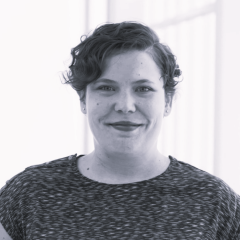
Amanda is a Microscopy Expert at the VIB Bioimaging Core-Gent, where since 2011, she has gained expertise in large sample imaging and quantification, from slide scanner to light sheet. She also has over 15 years of experience teaching science, both practical and theoretical, on the graduate and post graduate levels.
Jérémy Verbeke

Program
Morning session: Image basics and basic operations
Introduction to ImageJ1 macro language
Practical info


16 October 2025
Ghent - VIB/UGent FSVM II
Technologiepark 75
9052 Zwijnaarde
Belgium
16 October 2025
Ghent - VIB/UGent FSVM II
From Ghent Sint-Pieters station, you can take a bus to Technologiepark. Please check Routeplanner De Lijn for schedules.
16 October 2025
Ghent - VIB/UGent FSVM II
Looking for a custom cycling route? Try the online cycling route planner to easily and quickly identify the fastest, safest and/or most scenic route to any destination in Ghent.
Cycling route planner
Shared bicycles:
Several providers are active in the area.
Take a look at their platforms:
- Indigo Weel Pro app
- Bluebike
- DOTT
- BOLT eBikes
- Donkey Republic
There are also some public bicycle pumps at the park.
16 October 2025
Ghent - VIB/UGent FSVM II
There is only one entrance to Technologiepark. At the entrance, please take a ticket - Parking is only allowed in regular parking spots (for instance in front of the building) and in the parking tower. Parking alongside the roads or in other places where there is no regular parking is prohibited.